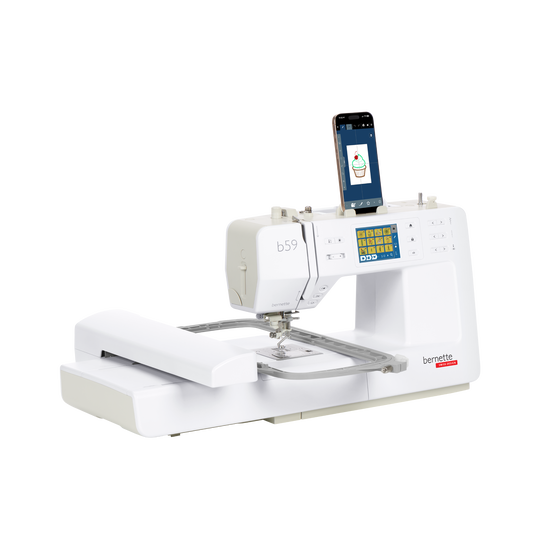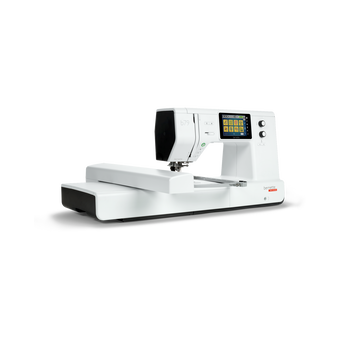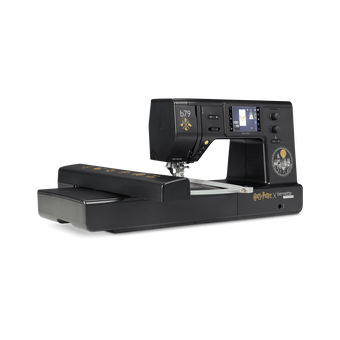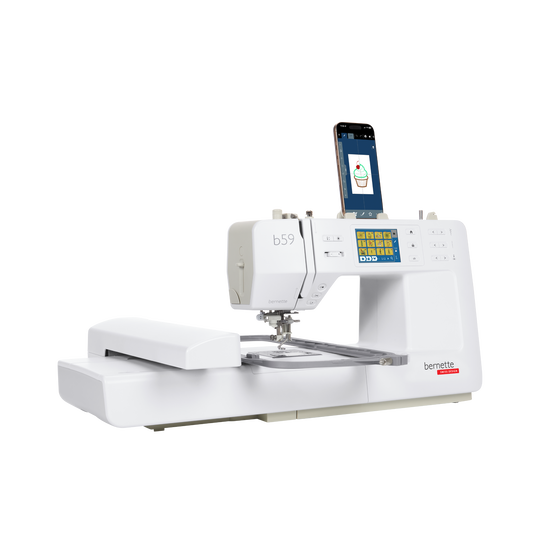
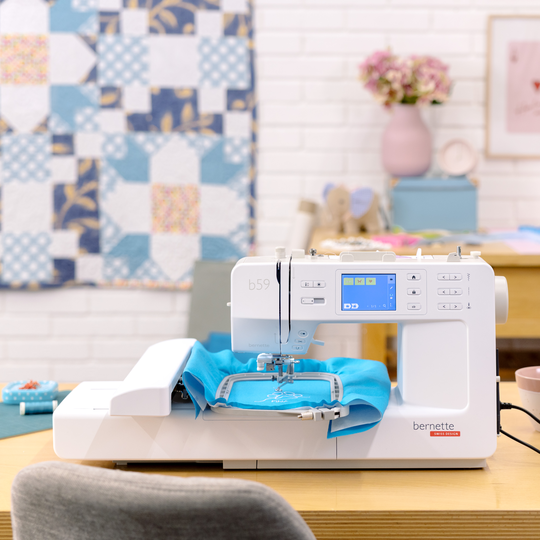

bernette 59
N. articolo 5220059006
1'495.00 CHF
Disponibilità nel negozio online:
  • Pre-ordine - Disponibile da:
  • 7. set 2026

bernette 59
N. articolo 5220059006
bernette 59 image number

Descrizione del prodotto


Descrizione

Dove prendono forma le grandi idee


Caratteristiche

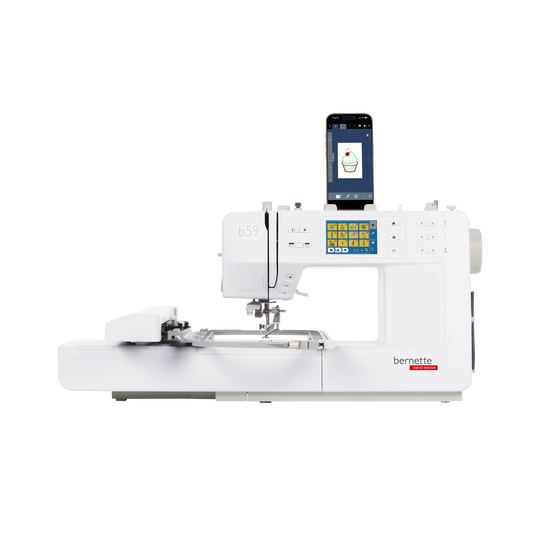
  • App gratuita StitchDirect per la modifica e la creazione di disegni da ricamo su dispositivi mobili
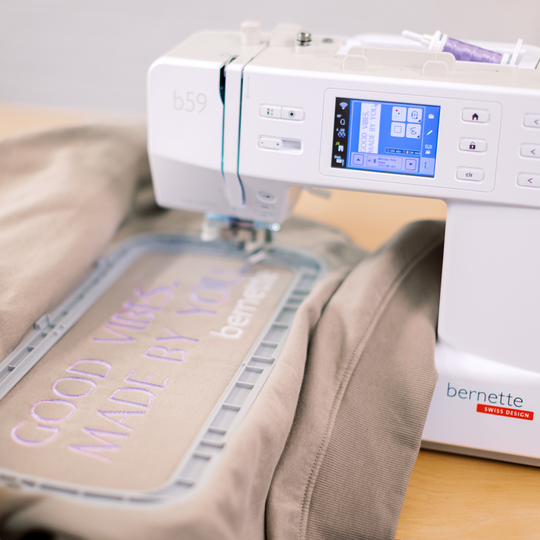
  • Area di ricamo di 4,7“ × 7“ (120 × 180 mm)
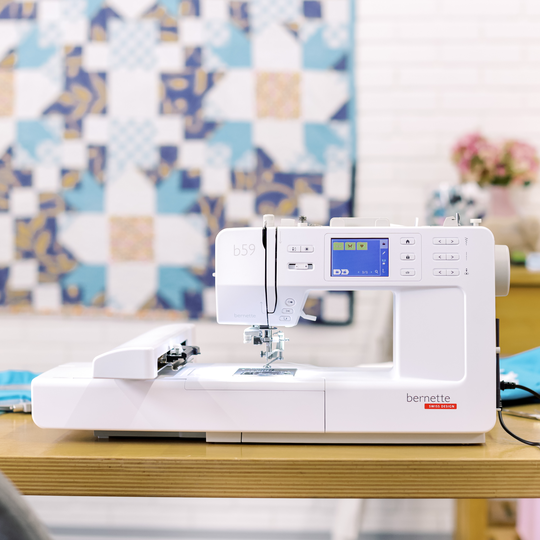
  • Telaio multiposizione incluso per un’area di ricamo estesa di 4,7“ × 11,8“ (120 × 300 mm)
  • Un totale di 268 ricami integrati, tra cui 11 alfabeti
  • Un totale di 515 punti, inclusi 3 alfabeti
null

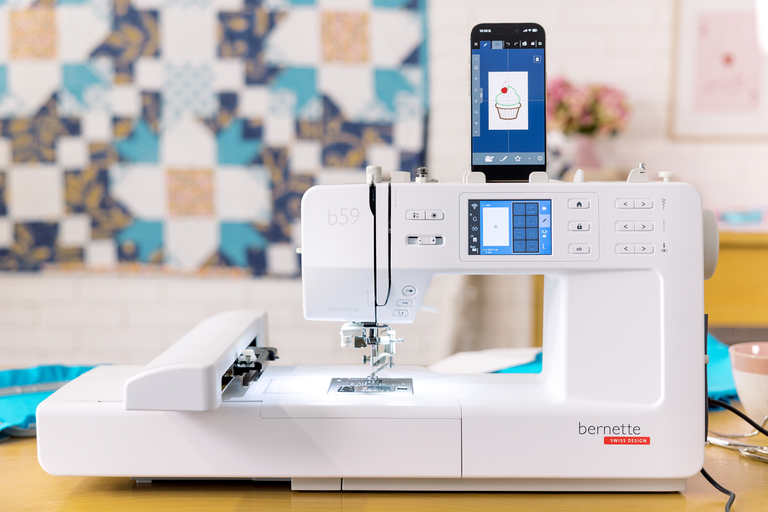
Dai libero sfogo alla tua creatività con il Wi-Fi e l’app StitchDirect


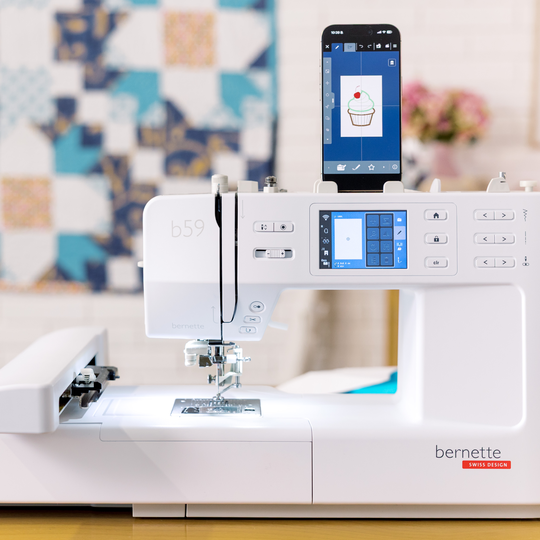
L'app StitchDirect amplia le tue possibilità creative ben oltre i limiti della macchina. Progetta motivi, modifica disegni da ricamo o crea punti decorativi personalizzati direttamente sul tuo smartphone o tablet. A questo punto, non ti resta che trasferire le tue creazioni sulla b59 tramite Wi-Fi e tenere d'occhio il processo di ricamo in qualsiasi momento.

In questo modo è facile trasformare un’idea spontanea nel tuo prossimo capolavoro creativo.
null

Comfort che fa la differenza


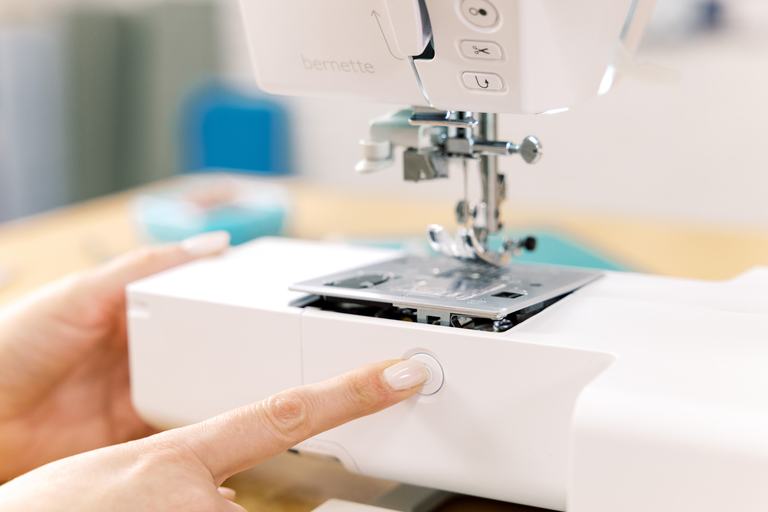
L’infila-ago Comfort e la placca ago “Click & Lift” rendono particolarmente semplice la preparazione del tuo prossimo progetto di cucito o ricamo. Con l'infila-ago b59, è possibile infilare l'ago in pochi semplici passaggi. La placca ago può essere sollevata e sostituita semplicemente premendo un pulsante, senza bisogno di un cacciavite.

Ciò significa che puoi iniziare più rapidamente e concentrarti su ciò che conta di più: dare sfogo alla creatività.
null

Quando le idee prendono forma


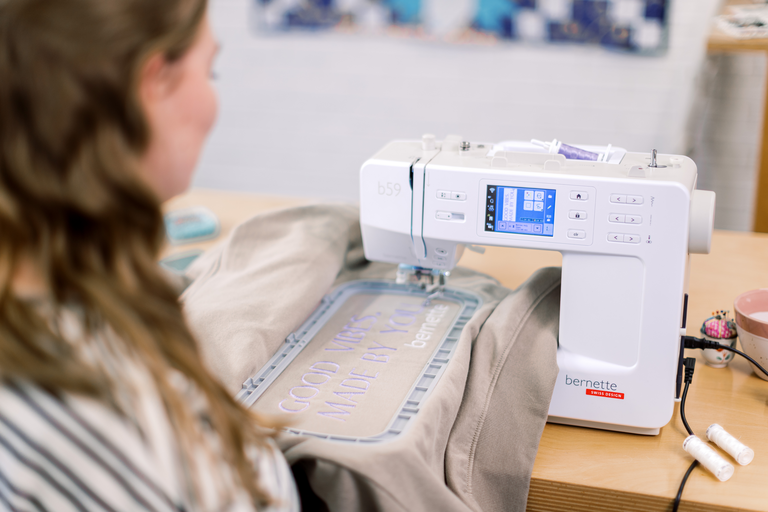
Il telaio multiposizione in dotazione ti offre maggiori possibilità per i progetti di ricamo di grandi dimensioni. Grazie a un’area di ricamo che arriva fino a 120 × 300 mm (4,7“ × 11,8“), puoi realizzare comodamente scritte più lunghe, bordi e motivi di dimensioni maggiori.

Più libertà creativa per progetti che superano le dimensioni di un telaio da ricamo standard.

Funzioni

Avvolgitore della bobina, parte superiore della macchina
Nadelstopp oben/unten, permanent (oben/unten)
La griffa scende automaticamente (quilting, ricamo)
Movimento di allontanamento del filo
Pedale elettronico
Misure della macchina L / L / H [mm]
450 396 300
Misure del modulo di ricamo L / L / A [mm]
172 206 300
Peso del modulo da ricamo [lbs/kg]
3.2 g
Peso della macchina [kg]
7.01 g
Lunghezza del braccio libero a destra dell'ago [pollici / mm].
170 mm
Altezza dello spazio di lavoro [pollici / mm]
120 mm
Memoria totale [MB]
1.6 MB
Porta bobina [numero]
2
Tecnologia wireless integrata (interna)
Motore principale, tipo
DC
Infilatura dell'ago, semiautomatica
Sistema di taglio automatico del filo (filo superiore e inferiore)
Sistema crochet
Drop-in
Posizione dello schermo
Davanti
Dimensioni dello schermo [pollici]
3.5 inch
Numero di LED
2
Illuminazione sopra l'ago
Regolatore di velocità
Sensore di rilevamento della placca ago
Sensore controllo filettatura superiore
Sensore controllo filo spolina
USB-Anschluss (Host)
Regolare la lunghezza del punto
Bilanciamento avanti/indietro
Fine disegno
Regolare la larghezza del punto
Punto diritto triplo
Asola automatica con piedini 3A (auto)
Punto d'imbastitura n. 21 (con bast-matic)
Punto di sicurezza (punto #5)
Posizioni ago (destra / sinistra) [numero]
15
Salva le impostazioni del punto corrente (permanente)
Aggiungere il punto corrente (programma personale)
Piedino consigliato (display)
Salva combinazione
Selezione del piedino
Impostazioni- Cucitura - impostazioni di fissaggio automatico
Velocità di cucitura massima [spm]
800 spm
Sistema piedino
Snap-on
Pulsante di avvio-arresto
Pulsante di inversione rapida (fissaggio a mano)
Leggere i formati di ricamo della concorrenza (basati sui punti)
Salva il design
Riconoscimento del telaio
Casella di controllo
Punto d'imbastitura all'interno del telaio / intorno al disegno
CutWork Tool support
Ridimensionare il modello: proporzionale (limitato all'80%-120%)
WordArt
Cambiare il tipo di punto (lettere)
Combinazione di disegni e scritte, ricamo
Cambiare i colori del filo
Monochrom
Impostazioni - Ricamo - interruttore pollici/mm
Impostazioni- Ricamo - Attivazione/disattivazione del tagliafilo per cambio colore
Impostazioni- Ricamo - Tagliafilo - Impostazioni della lunghezza del punto di salto
Impostazioni - Ricamo - Fissare i punti manualmente/automaticamente
Velocità di ricamo massima [spm]
600 spm
Trasferimento del disegno di ricamo tra la macchina e il software di ricamo (dalla V9)
Spazzola per polvere
Assortimento aghi
Rete per rocchetti di filo superiori

Tutorials

How to Thread the bernette 57 & bernette 59 | Step by Step
Learn step by step how to thread your bernette 57 or bernette 59 correctly. In this video, we'll show you how to choose the right thread spool, wind and insert the bobbin, and thread the upper thread correctly. Correct threading is the foundation for beautiful stitch quality and helps prevent thread breakage and thread nests. Learn more about the bernette 50 Series: www.bernette.com/b50-series Or visit your local bernette dealer.
How to Thread the bernette 57 & bernette 59 | Step by Step
bernette 57 & bernette 59 | Key Sewing Features
Prepare your bernette 57 or bernette 59 for your first sewing project and get to know its key sewing features step by step. You'll learn how to adjust stitch length and stitch width, choose the right presser foot, select and save stitches using the menu, and adjust the thread tension to suit your project. You'll also discover practical comfort features such as the speed control, automatic thread cutter, needle stop function, programmable securing function, the presser foot lock for sewing over thick fabric, and how to attach the extension table. With these essential features, you'll be ready to get the most out of your bernette and start your next sewing projects with confidence. Learn more about the bernette 50 Series: www.bernette.com/b50-series Or visit your local bernette dealer.
bernette 57 & bernette 59 | Key Sewing Features
bernette 59 and 57 – Creative Sewing and Embroidery Starts Here
bernette 59 | Getting Ready to Embroider
Prepare your bernette 59 for your first embroidery project step by step. In this video, you'll learn how to switch your machine from sewing mode to embroidery mode and discover the key preparations for successful embroidery. You'll learn how to install the straight stitch plate and embroidery foot, attach the embroidery module, and choose the right embroidery hoop. We'll also show you which materials you'll need for embroidery and what to look for when choosing an embroidery needle, embroidery thread, bobbin thread (Bobbin Fill), and thread colours. In addition, you'll get practical tips on hooping your fabric, using the embroidery template, and selecting the right embroidery stabilizer. We'll explain the differences between tear-away, wash-away, cut-away, and self-adhesive stabilizers, and show you how temporary spray adhesive can be used when preparing your embroidery project. With the right preparation, you'll create the foundation for beautiful embroidery results and a successful start to your first embroidery project. Learn more about the b59: www.bernette.com/b59 Or visit your local bernette dealer.
bernette 59 | Getting Ready to Embroider
bernette 59 | Embroidery Made Easy
bernette 59 | Large Embroidery Designs with the Multi-Position Hoop
bernette 59 | Create Embroidery Designs with the StitchDirect App
bernette 59 | Connecting the StitchDirect App
Connect your bernette 59 to the StitchDirect App and enjoy a connected sewing and embroidery experience. In this video, you'll learn how to download the StitchDirect App and easily connect your b59 to your Wi-Fi network and mobile device. In just a few simple steps, the connection is set up and your b59 is ready to work with the StitchDirect App. You'll then discover how to select sewing stitches and embroidery designs directly in the StitchDirect App and send them to your b59. Learn more about the b59 and the StitchDirect App: www.bernette.com/b59 Or visit your local bernette dealer.
bernette 59 | Connecting the StitchDirect App
bernette 59 | Create Sewing Stitches with the StitchDirect App
Discover the creative sewing features of the StitchDirect App and create your own sewing stitches directly on your mobile device. In this video, you'll learn how to navigate the sewing mode and discover how to edit, combine, and customise existing stitches for your project. With the integrated Stitch Designer, you can modify existing stitches or create your own from scratch. We'll also show you how to move or delete individual stitch points and even use a background image as a template to trace your own stitch designs. You'll also discover the integrated Sewing Consultant, which helps you choose the right stitch, presser foot, and needle for your sewing project. Learn more about the b59 and the StitchDirect App: www.bernette.com/b59
bernette 59 | Create Sewing Stitches with the StitchDirect App